
Microsoft 365 data location check: Why Identity Governance & Administration matters alongside storage location
Until December 14, 2026, organizations can set the Microsoft 365 data location: in their own country or within the EU Data Boundary. This article explains what you need to do now. It also explains why the question “Where is the data stored?” is only half the answer. The other half is: “Who has access?”
Act now: Want to know who in your Microsoft 365 tenant can access which data? Talk to us about your Identity Governance & Administration.
Index
What Microsoft is changing
For the Microsoft 365 data location, Microsoft lets you choose a country for certain data residency commitments. The setting is called “Store Microsoft 365 customer data in-country” and was introduced on September 14, 2026. By default, it is set to “Off.” If you do nothing, it remains disabled. Microsoft can then move your data within the EU Data Boundary starting in mid-December. In both cases, the data remains in the EU. According to Microsoft, security, encryption, and compliance do not change.
How to check the Microsoft 365 data location
The path in the Microsoft 365 admin center:
Settings → Org settings → Organization profile → Data location → Commitments
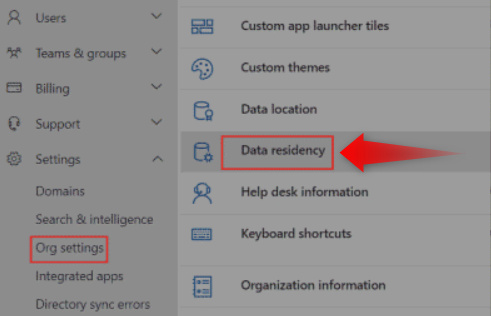
The setting is called “Store Microsoft 365 customer data in-country.” It applies to five services:
- Copilot and Copilot Chat
- Exchange Online
- OneDrive
- Microsoft Teams
- SharePoint
You need administrator rights to use it.
Why the toggle is missing or grayed out
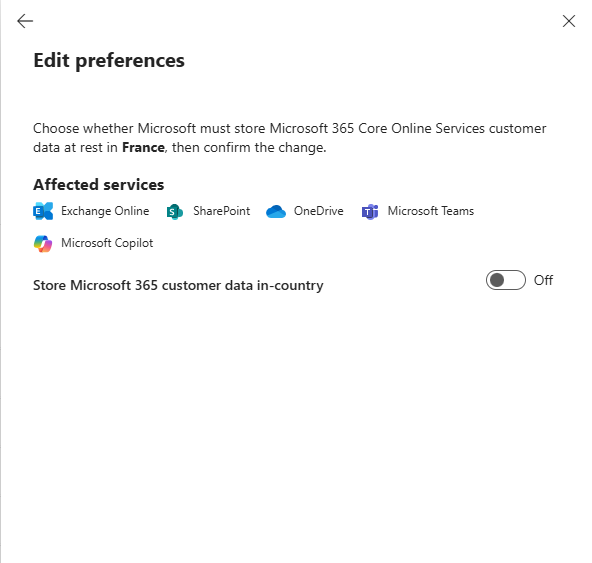
This is usually not an error. There are clear reasons:
- Wrong default geography. The option only appears for tenants whose default geography is Germany, France, Norway, Sweden, or Switzerland. Tenants in other countries do not see the toggle.
- Paid residency offering. Tenants with Advanced Data Residency (ADR), ADR for Education, or Multi-Geo see the toggle grayed out. Their residency is already covered by the paid offering.
- Legacy Move Program. Tenants that would qualify under the Product Terms but did not participate in the Legacy Move Program may not be eligible. In that case, you do not need to do anything. Your existing commitment remains in place.
- New tenants. According to the documentation, the setting is Off for tenants created after September 14, 2026. For older tenants, the default comes from the message in the Message Center.
As of September 25, 2026, Microsoft adjusted the display. Since then, the option has been available to more eligible tenants. If the toggle remains gray for an eligible tenant, check again in a few days.
Your authoritative reference is the message in the Message Center under ID MC1470878. It states whether your organization is eligible and how the value was preset. The entry is not public. You can only see it when signed in to the Message Center of your own tenant.
What the setting means
The Microsoft 365 data location setting determines the geographic region in which certain customer data is stored. It does not directly change the fundamental security and encryption mechanisms of Microsoft 365. Privacy and compliance, however, also depend on many other factors, such as how data is processed, access rights, and applicable legal requirements.
What are the benefits of “in-country storage”?
Storage in Germany offers advantages when national requirements, customer contracts, or internal policies require a specific data location. It makes data residency easier to document and strengthens the confidence of German customers.
However, a German storage location does not fundamentally protect against access by U.S. authorities. Under the CLOUD Act, U.S. authorities can, under certain legal conditions, require Microsoft to disclose data under the company’s control, even if that data is stored in Germany. Storage location alone therefore does not guarantee full data sovereignty.
For IT, choosing a data location is therefore primarily a documentation and organizational question:
- Which legal and regulatory requirements apply to your organization?
- Are there customer contracts, internal policies, or industry requirements that call for storage in Germany?
- What requirements apply to data access and legal control by the cloud provider?
- Is the decision documented in a traceable way, and is it reviewed regularly?
For more information on data location, see the Microsoft Trust Center.
Data sovereignty means: Who has access?
According to heise, experts do not view storage within the EU Data Boundary as a third-country transfer under the GDPR. But a European storage location does not answer every question about data sovereignty. What also matters is who can access the data, and under what legal conditions.
The Microsoft 365 data location tells you which region data is stored in. It does not tell you:
- who may access a SharePoint site,
- who shares files in OneDrive,
- who has elevated rights in Teams or Exchange.
Data sovereignty therefore does not depend on storage location alone. Just as important is control over identities and permissions. Identity Governance & Administration (IGA) helps organizations manage access rights across systems and environments in a traceable way and review them regularly. That is especially relevant in mature IT environments where identities and permissions are spread across Microsoft 365, Active Directory, line-of-business applications, and partner access. Storage location alone says nothing about whether access rights are assigned appropriately.
In Microsoft 365 and Active Directory environments that have grown over years, permissions come from many sources:
- Groups
- Roles
- Delegations
- Organizational changes
When an employee changes departments or a project ends, access often remains in place. The result is permission sprawl. That is a real risk, even with a perfectly chosen data location.
Why permissions need to be reviewed regularly
Permissions change constantly. New employees join, external partners are brought in, teams and projects are created, and roles change.
Regular access reviews and recertifications create a reliable control point:
- Owners confirm which access is still needed.
- Rights that are no longer required are removed.
- This reduces permission sprawl.
- The principle of least privilege is put into practice.
This process should not be purely manual. Clear workflows, defined responsibilities, and traceable reports make reviews predictable and auditable. The decision about whether access is still necessary for the business stays where it belongs: with the responsible owners.
How an IGA solution supports governance in Microsoft 365
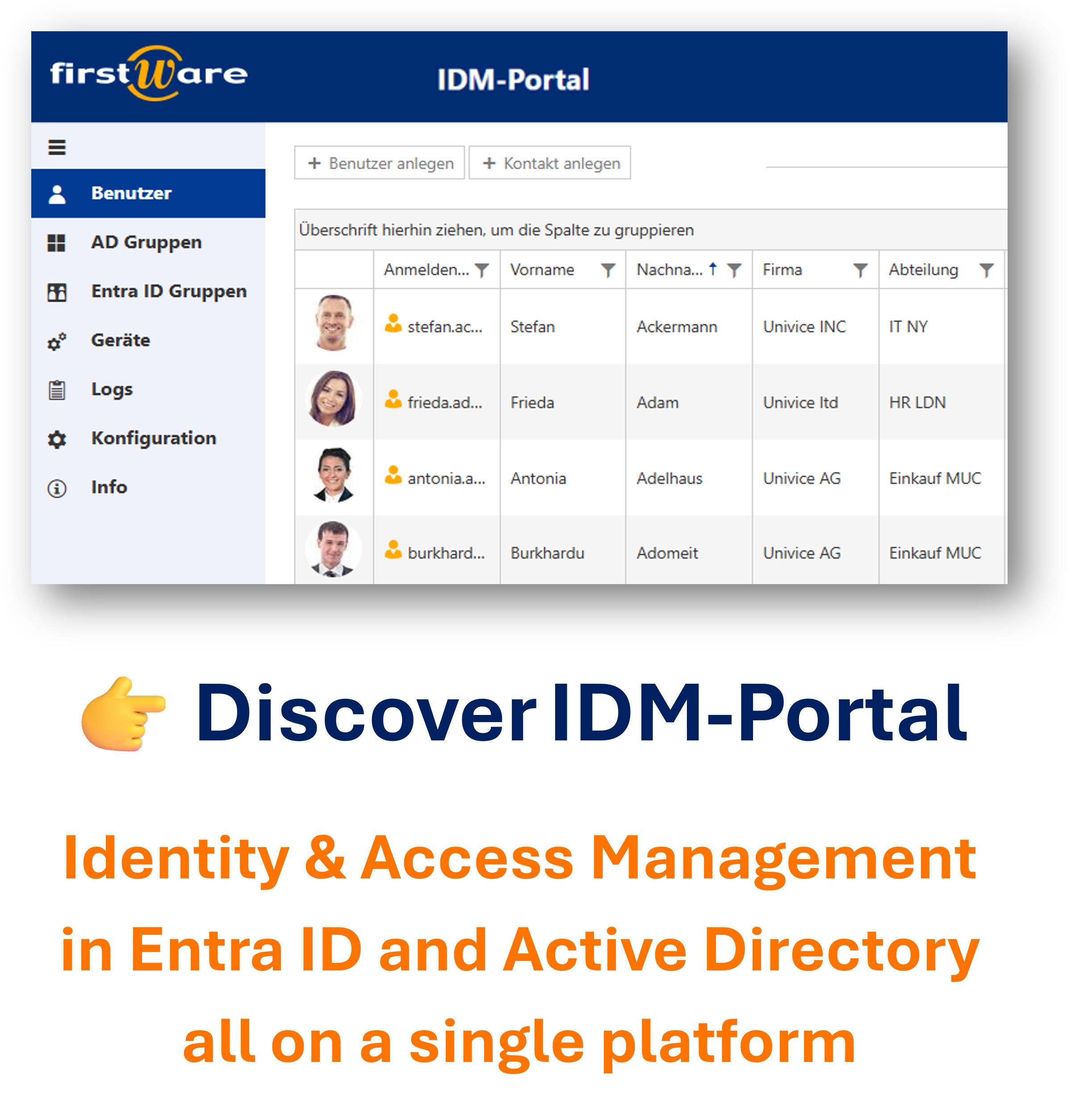
The FirstWare IDM-Portal is an IGA solution (Identity Governance and Administration) that helps organizations manage exactly this balance between data sovereignty and access control. It helps organizations manage identities, roles, and permissions in a structured way, especially in Microsoft 365 and Active Directory environments. The goal is governance that works in day-to-day operations, not only when an audit arrives.
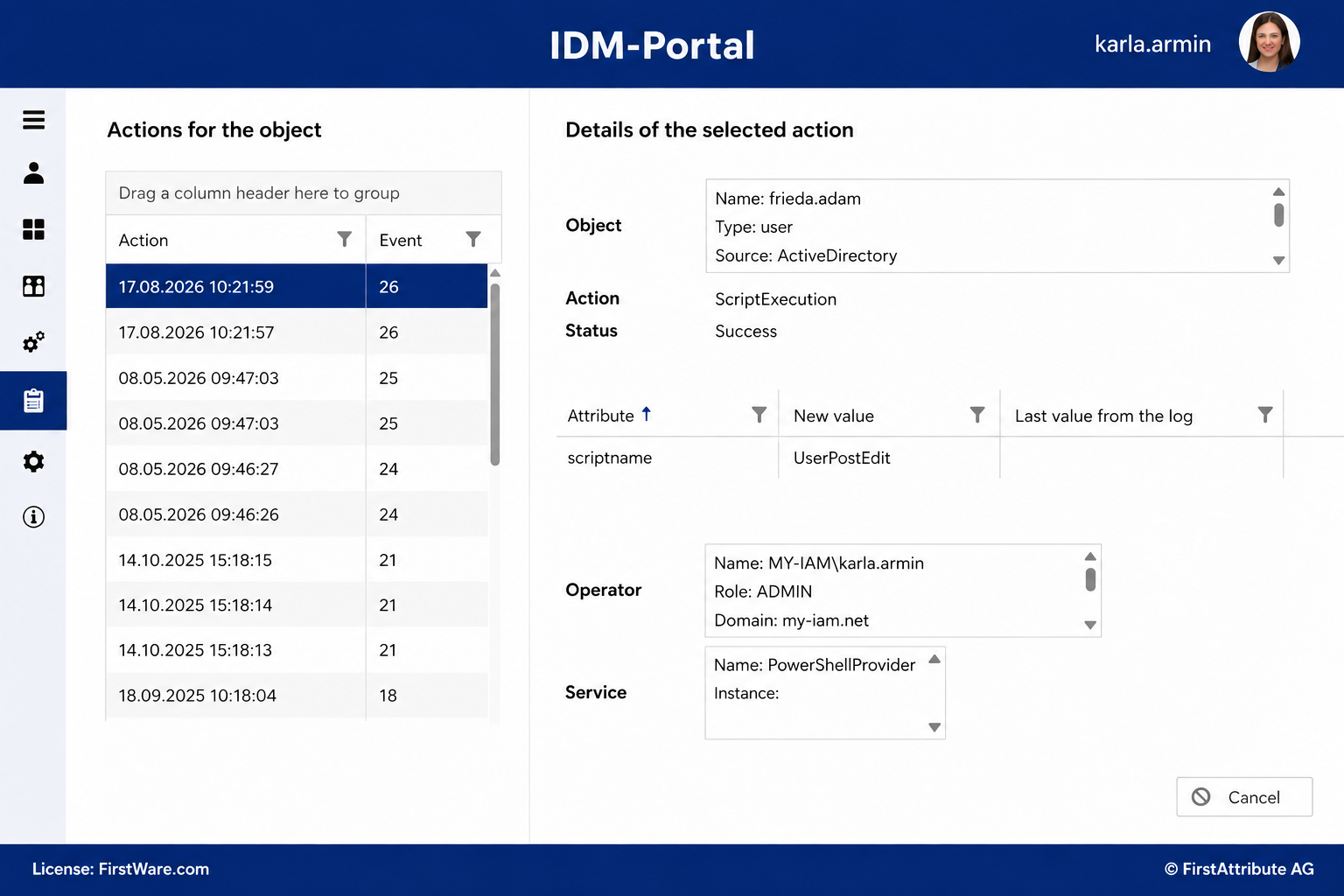
This includes:
- Automated permission management: Access and changes run through defined processes and workflows.
- Recertification and access reviews: Owners regularly check whether permissions are still appropriate.
- Role and rights management: Business ownership and technical access are linked in a traceable way.
- Reporting and audit readiness: Evidence, decisions, and changes are documented in a structured way.
- Relief for IT: Standardized processes reduce manual coordination and recurring one-off tasks.
- Support for compliance requirements: Evidence for requirements such as GDPR-related reviews or ISO 27001 is produced through transparent processes and reports.
- Integration with existing environments: Microsoft 365 and Active Directory can be included in overarching identity and access governance.
FirstWare IDM-Portal adds an organizational and audit-oriented view to Microsoft’s administration capabilities. The data location is set deliberately. At the same time, it remains clear who has access, who approved it, and when it was last reviewed.
If legal or regulatory requirements rule out storage in the Microsoft Azure cloud, the STACKIT Cloud can be an alternative. As a German cloud provider, STACKIT offers an environment for organizations with specific requirements for privacy and digital sovereignty. As a STACKIT partner, we help you find a cloud solution that fits your requirements for data processing and legal control.
Conclusion: Think about data location and permissions together
December 14, 2026 is a concrete reason to review your Microsoft 365 data location and your governance. The choice between in-country storage and storage within the EU Data Boundary should be documented and aligned with privacy and compliance requirements.
Just as important is a look at the access layer. Data remains worth protecting even when the storage location is correct. Organizations that manage data location, identities, and permissions together gain transparency and stronger evidence.
Your next steps by December 14:
- Open the Message Center and check MC1470878 for your tenant.
- Clarify eligibility and the preset value.
- Document the decision (in-country or EU Data Boundary).
- Review permissions and access.
Want to structure governance for your Microsoft 365 and Active Directory environment more effectively?
More about FirstWare IDM-Portal
 The FirstWare IDM-Portal is a user-friendly IAM solution for automated provisioning and lifecycle management of all identities and groups in complex, hybrid IT environments.
Powered by my-IAM — the technology platform behind it that enables seamless integration with any IT system and cloud service.
You can also reach our team by phone at
+49 81 969 984 330.